FanCurve Mac
MacBook Pro Fan Control
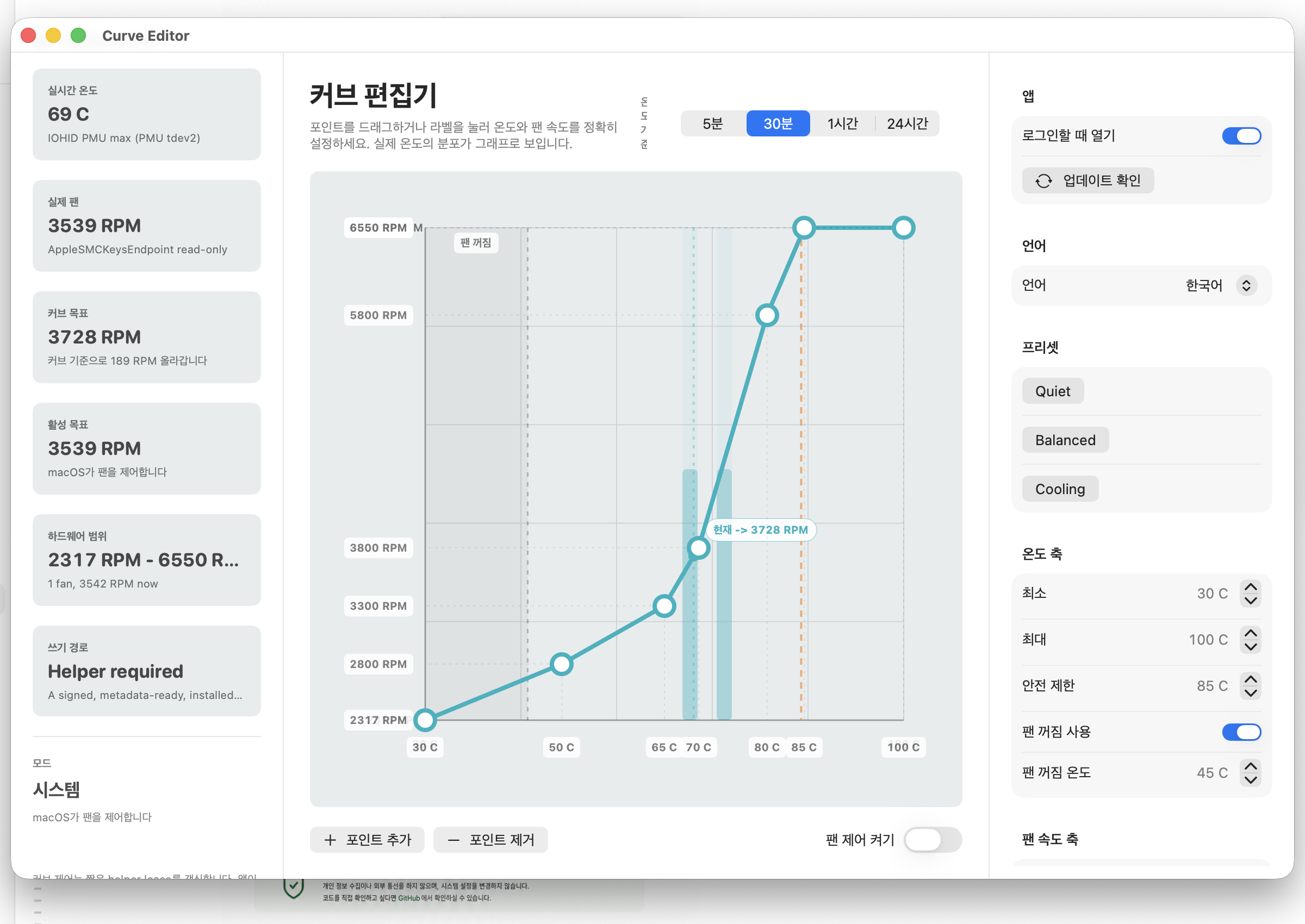
Set a fan target by temperature, then use the real temperature distribution to balance fan noise and cooling around how your Mac actually runs.
- Temperature distribution
- 5 min · 30 min · 1 hr · 24 hr
- Fan status
- RPM and percent
- On quit
- Return to macOS control
Direct fan control
Tune a percent-based fan target by temperature.
Real temperature distribution
See where recent temperatures concentrate in the graph.
Return to system control
On quit, control returns to the macOS default path.
See more than a single temperature
Review recent temperature samples from five minutes through 24 hours as a distribution. Shape the curve around the range your Mac reaches most often: cooling when needed and less noise when it is not.
Trust boundary
Built conservatively for a hardware control app
Clear helper purpose
The privileged helper label, install path, and purpose are documented before installation.
Return to system control
When the app quits, it asks the helper to return fan control to the macOS default path.
No ads inside the app
The Mac app itself does not include an ad SDK, account system, payment flow, or tracking feature.
download
Download FanCurve Mac 0.1.0
The public DMG is Developer ID signed and Apple notarized. Download it, then drag FanCurve Mac into the Applications folder.
- SHA-256
- de4eca318474bd89b61f4d7cc232600c103292c14ec3354b8ca90dbbedb320ec
- File size
- 8,599,380 bytes
Useful pages
Helpful pages for search and installation
Install FanCurve Mac and understand the helper permission
DMG setup, administrator permission, and safe removal steps.
Guide hubMacBook Pro fan, temperature, and noise guides
Start here for fan control, fan noise, and temperature management topics.
GuideWhat to know before changing MacBook Pro fan speed
Fan curves, temperature thresholds, and fan-off behavior in practical terms.
NoiseMacBook fan noise and temperature basics
How to reduce fan noise while still watching temperature distribution and workload.
CriteriaWhat to check in a fan speed control app
Fan curves, helper permission, safe reset behavior, and privacy boundaries.
TroubleshootingWhy your MacBook Pro fan keeps running
Check workload, temperature distribution, and fan curves in order.
TemperatureWhat is a safe MacBook Pro temperature?
Use duration and distribution rather than one magic number.
SupportWhy MacBook Air fan control may not work
Check whether your model has fan hardware before tuning fan speed.
RPMMacBook fan RPM vs percent
Read physical fan speed and menu bar percent without mixing them up.
TrustFanCurve Mac privacy notes
Local settings, update checks, helper permissions, and the app's no-tracking stance.